How to effectively work in big codebases

You wouldn’t hire a software engineer who cannot navigate code. Yet, I turned out to be one after I joined Microsoft and explored my new team’s codebase. What I saw shocked me.

Before Microsoft, I worked in a small start-up, and our projects didn’t exceed tens of thousands of lines of code. We could open, edit, and compile these projects directly in the IDE (Integrated Development Environment). My new team’s codebase had a few hundred thousand lines written in several programming languages. It was about 15 years old and used pretty much all possible technologies Microsoft invented in those years. Compiling it successfully was impossible without setting tens of environment variables and using magic command line incantations. No single IDE could handle this. It took me a few weeks before I began to feel comfortable with this codebase and all the tools I had to use for development.

This was almost twenty years ago, and since then, I have worked in several other big codebases, including .NET Framework, Visual Studio, ASP.NET Core, Amazon’s codebase, and Meta’s (Facebook’s) mono repo. Even though all these codebases were different, they had many similar challenges, most of which could be overcome using similar tactics.

Trying to understand all code is futile

A single person cannot deeply understand a codebase that has a few hundred thousand lines. But this is not the only challenge. Large codebases are not static. They often receive hundreds of contributions each day, so they evolve rapidly.

On the bright side, understanding all the code is not necessary. Rather, it is better to have a very good understanding of the area your team works on and a decent knowledge of the areas your code interacts with.

Code searching

It’s hard to be productive if you can’t search code. But it gets exponentially harder if you can’t even find the repo. And this was my experience during my years at Microsoft.

At that time, each team managed its codebase and source control individually, but there wasn’t any tool to find these repositories. The internal search returned an incomplete list of, often outdated, wikis. The easiest way to find code was to first find the team responsible for it and then get all the details from them.

(Around the time I was leaving Microsoft, it implemented its new engineering system, 1ES (One Engineering System), which I am sure brought significant improvements.)

Searching large codebases on a dev machine may not be an option. Cloning the entire codebase to a dev box may not be feasible, especially if the codebase consists of thousands of federated repos, like Amazon’s. Even if cloning is possible, tools such as grep are often too slow. This is why most big codebases have dedicated tools that make searching the code fast. Many of them also support following references, which is extremely helpful.

One factor that tremendously simplifies searching the code is formatting. If coding style is not enforced, finding anything is almost impossible. Searching a uniformly formatted codebase is much easier. This is why implementing a tool that enforces coding style is a good investment.

Build system complexity

Understanding the build system is key to being productive when working with big codebases.

Big codebases tend to have extremely complex build systems, often consisting of custom scripts, one-off tools, and specialized extensions stitched together to do the job. Off-the-shelf developer tools (e.g., IDEs) rarely can handle this complexity. Developers may struggle for days when they encounter a build system issue.

Many big companies have built their own tools to reign in this complexity and make it easier and faster for developers to work on large, multi-language code bases. Meta has buck Amazon has brazil, and Google has bazel. But from my experience, especially, with brazil, these tools also have some rough edges, so understanding how they work can go a long way.

The development environment is constantly in flux

Due to the number of engineers working in large codebases, even small productivity improvements can yield savings measured in engineering years. Maintainers work all the time to identify and fix bottlenecks. Because of this, the developer environment changes constantly, and the transitions are often not smooth, ironically resulting in lost productivity.

In 2019, Facebook decided to move away from Nuclide as its main IDE and migrate to VS Code. As a fan and an early adopter of VS Code (I even created an extension, and it was only in 2015!) I welcomed this change. But the ride was bumpy. The command I used the most (a few times per hour) during the first year was: Developer: Reload Windows. I had to use Vim or go back to Nuclide multiple times because VS Code stopped working. The early versions were bare – it took more than two years to bring all the features Nuclide offered to VS Code.

(To clarify, the tooling team did an awesome job. It supported both IDEs during the migration and put immense effort into making this migration successful. And it paid off—today, our VS Code is very stable, constantly gets new features, and is a pleasure to work with.)

Slow builds

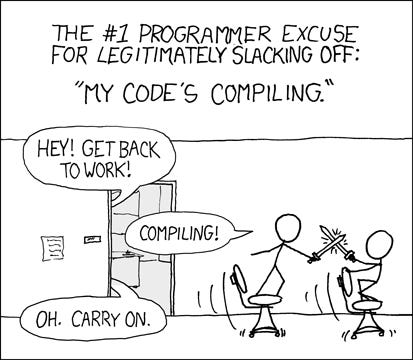
Compiling large codebases takes time. Fortunately, you never need to do it yourself. In most cases, you only need to build and integrate with your product the sub-project you modified. However, even these steps can take considerable time despite the miracles that build engineers perform.
Legacy code

The codebases of many successful products that have been around for decades (e.g., Microsoft Windows) are big. They grow organically over the years thanks to the contributions of hundreds or thousands of developers who merge code daily. New releases are developed by expanding previous releases. Consequently, large codebases accumulate a lot of legacy code that almost no one is familiar with. I am sure some of the code I considered legacy when I joined Microsoft twenty years ago is still around because the product I worked on is still on the market.

The Curious Case of Bugs that Fix Themselves

I can’t count how many times I had this conversation:
  “Good news! The bug is fixed!”
  “Did you fix it?”
  “No.”
  “Did anyone else fix it?”
  “No.”
  “How is it fixed then?”
  “I don’t know. I could reproduce it last week, but I cannot reproduce it anymore, so it’s fixed.”
  “Hmmm, can you dig a bit more to understand why it no longer reproduces?”
  [Two hours later]
  “I have a fix. Can you review my PR?”

Can bugs fix themselves?

I grow extremely skeptical whenever a fellow software developer tries to convince me that an issue they were assigned to fix magically fixed itself. Software defects are a result of incorrect program logic. This logic has to change for the defect to be fixed.

Can bugs disappear? Yes, they can and do disappear. But this doesn’t mean that they are fixed. Unless the root cause has been identified and addressed, the issue exists and will pop up again.

The most common reasons bugs disappear

Seeing an issue disappear might feel like a stroke of luck – no bug, no problem. But if the bug was not fixed, it is there – always lurking, ready to strike. Here are the most common reasons a bug may disappear:

Environment changes

A change in the environment no longer triggers the condition responsible for the bug. For instance, a bug that could be easily reproduced on February 29th is not reproducible on March 1st.

Configuration changes

The code path responsible for the bug may no longer be exercised after reconfiguring the application.

Data changes

Many bugs only manifest for specific data. If this data is removed, the bug disappears until the next time the same data shows up.

Unrelated code changes

Someone modified the code, changing the condition that triggers the bug.

Concurrency (threading) bugs

Concurrency bugs are among the hardest to crack because they can’t be reproduced consistently. Troubleshooting is difficult: even small modifications to the program (e.g., adding additional logging) can make reproducing the issue much harder, which is why concurrency bugs are a great example of Heisenbugs. And the worst part: when the fix lands, there is always the uncertainty of whether it worked because the bug could never be reproduced consistently, to begin with.

The bug was indeed fixed

A developer touching the code fixed the bug. This fix doesn’t have to be intentional – sometimes, refactoring or implementing a feature may result in deleting or fixing the buggy code path.

The bug didn’t disappear

The developer tasked with fixing the bug missed something or didn’t understand the bug in the first place. We’ve all been there. Dismissing a popup without reading what it says or ignoring an error message indicating a problem happens to everyone.

Fixing a bug can be easier than figuring out why it stopped manifesting. But understanding why a bug suddenly disappeared is important. It allows for re-assessing its severity and priority under new circumstances.

Conclusion

If nobody fixed it, it ain’t fixed.

“This code is s**t!” and Other Mistakes Code Reviewers Make

Code reviews are a standard practice in software development. Their purpose is to have another pair of eyes examine the code to catch issues before they affect users and to provide feedback that helps make the code cleaner and easier to understand.

While the goals of code reviews are noble, the experience for many developers is often less than stellar. There are many contributing factors, but one that stands out is how code reviewers approach and conduct code reviews.

Here are the top 5 mistakes I’ve seen code reviewers make (and I had made myself) that left fellow, often junior, developers discouraged and frustrated with the code review process.

Approving a PR without understanding the change

Many developers approve PRs very quickly, looking at the code only barely or not at all. While the speed matters, this attitude leads to problems:

  • bugs that could be identified during code reviews are missed, reach production, and impact users
  • the quality of the code deteriorates over time, making implementing new features more challenging
  • both the code reviewer and the author miss the opportunity to learn something new from the PR

Proper code review requires time, effort, and, often, additional context. I sometimes realize that a change I started reviewing requires more time than I can afford or that I don’t have enough context to understand it fully. If this happens, I will still review the change as best as I can, but I will let the author know that I can’t sign off on it.

“If you approve it, you’re responsible for it” was one piece of advice I received that completely changed my perspective on carelessly approving PRs.

Unprofessional feedback

Code reviews should be all about code. Sadly, they sometimes become personal attacks with harsh or condescending comments. This kind of “feedback” usually extends beyond code reviews and leads to a toxic team culture.

Even if the code sent for review has multiple issues, comments like: “this code is s**t!” are not helpful. Explaining the problems and suggesting solutions is a much more effective approach. Talking to the author is even more effective.

Too much focus on less important details

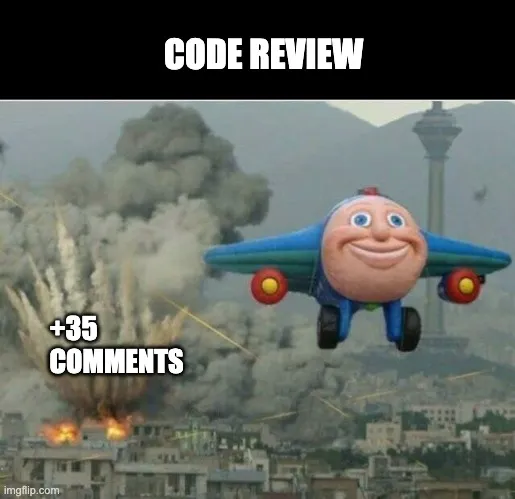
Flooding a PR with nitpicky comments is not good feedback. Not only is it borderline passive-aggressive behavior, but these comments can also drown out ones that raise important issues.

One great example is comments about code formatting. Asking the author to adhere to the Coding Style Guidelines adopted by the team is one thing, but commenting on each single incorrect indentation or misplaced parenthesis is not OK. Fortunately, this entire class of arguments can be easily avoided by integrating a code formatting tool. Not only will the tool end the petty arguments about code formatting, but it will also allow developers to focus on what’s important.

(I wrote about this in more detail here: The downsides of an inconsistent codebase and what you can do about it.)

Unclear or unactionable feedback

Comments like: “I am sure it can be done better” are not useful. They leave the author clueless about the reviewer’s expectations and the improvements they expect. In the best case, the author will ignore the feedback. In the worst case, they will try guessing what the reviewer meant and iterate on the code, often unnecessarily.

From my experience, illustrating comments with code suggestions is one of the clearest and most effective code review feedback.

Delaying code reviews

One of the most common complaints about code reviews is that they significantly slow software development. The most common reasons are:

  • reviewers are not picking up PRs for review
  • reviewers are not responding after the author addressed the feedback
  • changes are flooded with comments on minor issues, and resolving them requires many iterations

Assuming a PR is not intentionally blocked due to a serious concern, delaying reviewing it can be frustrating for the author. Often, reviewers are simply busy with their work and don’t have time to review someone else’s changes. But this is a double-edged sword—eventually, they will want someone to review their changes, and they shouldn’t expect quick reviews if they don’t review PRs promptly.

Sometimes, it is a matter of being better organized. Blocking half an hour daily on the calendar for code reviews should help team members move faster.

That being said, if your PRs are not getting reviewed, there may be something you can do about this. Check out my post here: 7 Tips To Accelerate Your Code Reviews.

Why Should You Care About Minimal Reproducible Examples (and how to create one)

You’ve spent hours debugging a tricky bug. You can reproduce it but can’t quite figure out the root cause. You’re starting to believe that the bug might not be in your code, but in the library, you are using. Given how much time you’ve already spent on this investigation, you are getting desperate and want to ask for help. What’s the best way to do it? Create a minimal repro!

What’s a minimal repro?

Minimal repro, sometimes called Minimal Reproducible Example, is a code snippet reproducing a bug and providing context with as little code as possible. In the ideal case, another person should be able to copy the code and run it on their machine to reproduce the bug successfully. This is often impossible to achieve, but the closer to this ideal, the better.

How to create a minimal repro?

Creating a minimal repro requires some thought. It’s not about code-golfing. The minimal repro should be as little as possible, but it should also retain all necessary context. Here are a few tips:

  • Remove any code that is not needed to reproduce the issue, but make sure that your example still compiles
  • Avoid changes that make code shorter at the expense of understandability – e.g., don’t shorten the names of variables if it makes code harder to comprehend
  • Keep only important data – if your array has 1 million items but you need only two items to reproduce the issue, only include these two.
  • Remove any artifacts, like configuration files, that are not needed to reproduce the issue. If possible, set all mandatory options all inputs directly in the code.
  • Reduce the additional steps needed to reproduce the issue to the absolute minimum.

Pro tip: Occasionally, instead of removing unneeded code to isolate the issue, it is better to start a new project and try to write code replicating a bug from scratch.

Why create a minimal repro?

Surprisingly, the main benefit of creating a minimal repro is not making a code snippet that you could use to ask for help. Rather, ruthlessly eliminating noise helps build a deeper understanding of the problem and frequently leads to finding the root cause of the issue and a proper fix.

If creating a minimal repro didn’t help you figure out the cause of the bug and a fix, you have something you can use to ask for assistance. You can share your example with your teammates, post it on StackOverflow, or include it when opening a GitHub issue. This is where minimal repros shine – they are critical in getting help quickly.

During my time at Microsoft, I was one of the maintainers of EntityFramework, Asp.NET Core, and SignalR repos. As part of my job, I investigated hundreds of issues reported by users. Clean, concise repros were one of the main factors deciding whether or not an issue was resolved quickly.

For most reported issues containing a concise, clean repro, engineers needed a glance to determine it was indeed a bug. If it was, they could often find the culprit in the code in a few minutes. Finally, they frequently used the example included in the bug report to create a unit test for the fix.

Reports with convoluted or incomplete examples dragged on for weeks. Building a repro often required multiple follow-ups with the author. Due to excruciatingly slow progress, these bug reports had a higher abandon rate.

The bottom line is that you will get help faster if you make it easy to give it. Minimal repro is an effective way to do this.

A Powerful Git Trick No One Knows About

Here is a Git trick I learned a long time ago that I can’t live without (and when I say no one knows about it, I mean it – it is not well documented, and no developers I have worked with knew about it):

Some git commands take - (dash) as the reference to the previous branch.

git checkout and git merge are two commands I use it with all the time.

git checkout - switches to the previous branch. This makes toggling between the two most recently used branches quick and super easy:

Using git checkout -

git merge - merges the previous branch to the current branch. It is especially powerful when combined with git checkout -. You can switch to the target branch and then merge from the previous branch like this:

Using git merge -

One command I wish supported - is git branch -d. It would make cleaning branches after merging effortless. Presumably, this option is not available to prevent accidentally deleting the wrong branches.

Bonus trick

While we are at it – did you know that the cd (change directory) shell command also supports -? You can use cd - to toggle between the two most recent directories.