How to effectively work in big codebases

You wouldn’t hire a software engineer who cannot navigate code. Yet, I turned out to be one after I joined Microsoft and explored my new team’s codebase. What I saw shocked me.

Before Microsoft, I worked in a small start-up, and our projects didn’t exceed tens of thousands of lines of code. We could open, edit, and compile these projects directly in the IDE (Integrated Development Environment). My new team’s codebase had a few hundred thousand lines written in several programming languages. It was about 15 years old and used pretty much all possible technologies Microsoft invented in those years. Compiling it successfully was impossible without setting tens of environment variables and using magic command line incantations. No single IDE could handle this. It took me a few weeks before I began to feel comfortable with this codebase and all the tools I had to use for development.

This was almost twenty years ago, and since then, I have worked in several other big codebases, including .NET Framework, Visual Studio, ASP.NET Core, Amazon’s codebase, and Meta’s (Facebook’s) mono repo. Even though all these codebases were different, they had many similar challenges, most of which could be overcome using similar tactics.

Trying to understand all code is futile

A single person cannot deeply understand a codebase that has a few hundred thousand lines. But this is not the only challenge. Large codebases are not static. They often receive hundreds of contributions each day, so they evolve rapidly.

On the bright side, understanding all the code is not necessary. Rather, it is better to have a very good understanding of the area your team works on and a decent knowledge of the areas your code interacts with.

Code searching

It’s hard to be productive if you can’t search code. But it gets exponentially harder if you can’t even find the repo. And this was my experience during my years at Microsoft.

At that time, each team managed its codebase and source control individually, but there wasn’t any tool to find these repositories. The internal search returned an incomplete list of, often outdated, wikis. The easiest way to find code was to first find the team responsible for it and then get all the details from them.

(Around the time I was leaving Microsoft, it implemented its new engineering system, 1ES (One Engineering System), which I am sure brought significant improvements.)

Searching large codebases on a dev machine may not be an option. Cloning the entire codebase to a dev box may not be feasible, especially if the codebase consists of thousands of federated repos, like Amazon’s. Even if cloning is possible, tools such as grep are often too slow. This is why most big codebases have dedicated tools that make searching the code fast. Many of them also support following references, which is extremely helpful.

One factor that tremendously simplifies searching the code is formatting. If coding style is not enforced, finding anything is almost impossible. Searching a uniformly formatted codebase is much easier. This is why implementing a tool that enforces coding style is a good investment.

Build system complexity

Understanding the build system is key to being productive when working with big codebases.

Big codebases tend to have extremely complex build systems, often consisting of custom scripts, one-off tools, and specialized extensions stitched together to do the job. Off-the-shelf developer tools (e.g., IDEs) rarely can handle this complexity. Developers may struggle for days when they encounter a build system issue.

Many big companies have built their own tools to reign in this complexity and make it easier and faster for developers to work on large, multi-language code bases. Meta has buck Amazon has brazil, and Google has bazel. But from my experience, especially, with brazil, these tools also have some rough edges, so understanding how they work can go a long way.

The development environment is constantly in flux

Due to the number of engineers working in large codebases, even small productivity improvements can yield savings measured in engineering years. Maintainers work all the time to identify and fix bottlenecks. Because of this, the developer environment changes constantly, and the transitions are often not smooth, ironically resulting in lost productivity.

In 2019, Facebook decided to move away from Nuclide as its main IDE and migrate to VS Code. As a fan and an early adopter of VS Code (I even created an extension, and it was only in 2015!) I welcomed this change. But the ride was bumpy. The command I used the most (a few times per hour) during the first year was: Developer: Reload Windows. I had to use Vim or go back to Nuclide multiple times because VS Code stopped working. The early versions were bare – it took more than two years to bring all the features Nuclide offered to VS Code.

(To clarify, the tooling team did an awesome job. It supported both IDEs during the migration and put immense effort into making this migration successful. And it paid off—today, our VS Code is very stable, constantly gets new features, and is a pleasure to work with.)

Slow builds

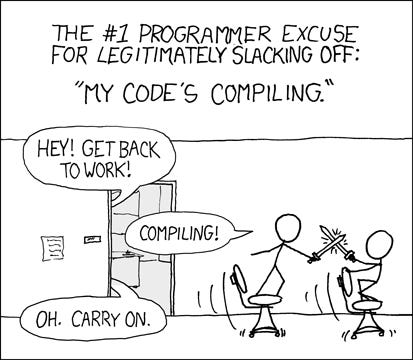
Compiling large codebases takes time. Fortunately, you never need to do it yourself. In most cases, you only need to build and integrate with your product the sub-project you modified. However, even these steps can take considerable time despite the miracles that build engineers perform.
Legacy code

The codebases of many successful products that have been around for decades (e.g., Microsoft Windows) are big. They grow organically over the years thanks to the contributions of hundreds or thousands of developers who merge code daily. New releases are developed by expanding previous releases. Consequently, large codebases accumulate a lot of legacy code that almost no one is familiar with. I am sure some of the code I considered legacy when I joined Microsoft twenty years ago is still around because the product I worked on is still on the market.

On-call Manual: Boost your career by improving your team’s on-call

I have yet to find a team maintaining critical systems that is happy with its on-call. Most engineers dread their on-call shifts and want to forget about on-call as soon as their shift ends. For some, hectic on-call shifts are the reason to leave the team or even the company.

But this is great news for you. All these factors make improving on-call a great career opportunity. Here are a few reasons:

  • Team-wide impact. Making the on-call better increases work satisfaction for everyone on the team.
  • Finding work is easy. No on-call is perfect. There’s always something to fix.
  • No competition. Most engineers consider work related to on-call uninteresting, so you can fully own the entire area. As a result, your scope might be bigger than any other development work you own.

Getting started

It is difficult to propose meaningful improvements to your team’s on-call before your first shift. You need to become familiar with your team’s on-call responsibilities and problems before trying to make it better.

Once you have a few shifts under your belt, you should know the most problematic areas. Come up with a few concrete actions to remedy the biggest issues. This list doesn’t have to be complete to get started. Some examples include tuning (or deleting) the noisiest alerts, refactoring fragile code, or automating time-consuming manual tasks.

Talk to your manager about the improvements you want to make. No manager who cares about their team would refuse the offer to improve the team’s on-call. If the timing is not right (e.g., your team is closing a big release), ask your manager when a better time would be. Mention that you may need their help to ensure the participation of all team members.

Set your expectations right. Despite the improvements, don’t expect your team members to suddenly start loving their on-call. It’s a win if they stop dreading it.

Execution

From my experience, the two most effective ways to improve the on-call is to have regular (e.g., twice a year) fixathons combined with ongoing maintenance.

During a fixathon, the entire team spends a few days fixing the biggest on-call issues. In most cases, these will be issues that started occurring since the previous fixathon but weren’t taken care of by on-calls during their shifts. You may need to work closely with your manager to ensure the entire team’s participation, especially at the beginning.

Ongoing maintenance involves fixing problems as they arise, usually done by the person on call. As some shifts are heavier than others, the on-call may not always be able to address all issues.

Your role

Before talking about what your role is, let’s talk about what your role isn’t.

Your role isn’t to single-handedly fix all on-call issues.

This approach doesn’t scale. If you try it, you will eventually burn out, struggling to do two full-time jobs simultaneously: your regular responsibilities and fixing on-call issues. The worst part is that your team members won’t feel responsible for maintaining the on-call quality. They might even care less because now somebody is fixing issues for them.

While you should still participate in fixing on-call issues, your main role is to:

  • organize fixathons – identify the most pressing issues and distribute issues for the team to work on, track progress, and measure the improvement
  • ensure on-calls are addressing issues they encountered during their shifts
  • build tools – e.g., dashboards to monitor the quality of the on-call or queries that allow to identify the biggest problems quickly

If you do this consistently, your team members will eventually find fixing on-call issues natural.

Skills you will learn

Driving on-call improvements will help you hone a few skills that are key for successful senior and even staff engineers:

  • leading without authority – as the owner of the on-call improvement area you’re responsible for coming up with the plan and leading its execution
  • scaling through others – because you involve the entire team, you can get much more done than if you did it yourself
  • influencing the engineering culture of the team – ingraining a sense of responsibility for the on-call quality in team members is an impactful change
  • holding people accountable – making sure everyone does their part is always a challenge
  • identifying problems worth solving – instead of being told what problems to solve, you are responsible for finding these problems and deciding if they are worth solving

Expanding your scope

Once you start seeing the results of your work, you can take it further to expand your scope.

You can become the engineer who manages the on-call rotation for your team. This work doesn’t take a lot of time but can save a lot of headaches for your manager. The typical responsibilities include:

  • managing the on-call schedule
  • organizing onboarding new team members to the on-call rotation
  • helping figure out shift swaps and substitutions

Another way to increase your scope is to share your experience with other teams. You can organize talks showing what you did, the results you achieved, and what worked and what didn’t. You can also generalize the tools you built so that other teams can use them.

“Think big” or make progress?

I am being told to “think big.”

But I don’t know what this means.

And I doubt that most people who tell others to think big can do this themselves.

It is easy to come up with big ideas that are not realistic. “Inhabit Venus” sounds like a big idea, but I can do nothing meaningful to implement it. Finding big ideas that are also realistic is hard.

Big ideas

For the sake of the argument, let’s define a Big Idea as follows:

An idea is big if its implementation spans multiple teams or requires substantially altering business-critical systems. By definition, implementing such an idea takes quarters or even years to complete.

Given the risk and the funding Big Ideas require, pitching them is not easy. In many cases, even Staff Software Engineers do not have enough credibility to get such an idea funded. Instead, it takes a team of Product Managers, Engineering Managers, and Software Engineers to prepare and propose the idea.

Big Ideas promise high rewards but are inherently risky. Many won’t bring the promised benefits, and some will flop completely. Because of how long it takes to implement a Big Idea, not everyone who started it will be there to witness its completion and get the reward.

Earlier in my career, I spent most of my time trying to find the “big thing.” I was not successful. I was obsessed with “thinking big” but couldn’t come up with anything. It took me a while to realize that time was passing, but my career was not progressing. This realization led me to an alternative path.

If not Big Ideas, then what?

When I found that trying to “think big” was not helping my career, I shifted my focus to finding and solving problems I and my team or users faced. No problem was too small. I simplified code that was hard to modify, added missing test coverage, or sped up the build. These were simple changes that I could tackle immediately, and they usually didn’t take more than a day to finish. But they helped push my career on a growing trajectory. Here are the most important reasons why:

  • I learned how to take the initiative and propose improvements no one asked me to do
  • I got better at identifying problems
  • I improved life for our users, my team, and myself

The nice thing about these small bets is that they can boost a career even though they are easy to find and not risky:

  • due to the smaller scope, they are much easier to complete
  • if something goes wrong, it usually is not a big deal
  • delivering them consistently helps build the credibility
  • they sometimes lead to bigger ideas

Some of these small ideas occasionally had a much bigger impact than I expected. Here is one example. In response to an incident, I needed to write a tool that inspected data in our data store and deleted stale records. The store my team used was one of the most common infra used by many teams across the company. When researching how to complete my task, I noticed that some other teams already built similar one-off solutions. Instead of creating another specialized tool, I wrote a framework to make these tools rapidly. Because my framework saved weeks of development time, a few teams adopted it. I moved to a different team a few years ago, but my framework is still in use. Some developers even extended it to handle more scenarios.

I observed that, with time, my ideas started to grow. I started noticing bigger problems that needed more time and people to be solved. They still are not in the “Big Ideas” category, but many are noticeable as they span multiple teams.

Parting words

Please note that I am not saying never to “think big.” If you can propose or help drive a “Big Idea,” by all means, do so. But don’t dismiss smaller problems, especially if your “Big Idea” is not quite there yet. At the end of the day, when the review time comes, it’s always better to show a few completed small ideas than a “Big Idea” that hasn’t or couldn’t be implemented.

Generating Ideas and Driving them to Completion

It is impossible to achieve a successful and fulfilling career in Software Engineering only by following someone else’s orders. A significant part of taking the lead is coming up with ideas to innovate and move the team or the company forward.

The two models of idea generation

Over the years, I’ve witnessed companies using two main ways to generate ideas: on-demand and organic.

On-demand idea generation

The on-demand idea generation model works as follows: the manager shows up out of nowhere and demands, “We need some ideas for X!” They organize a brainstorming meeting where the team members try to invent some ideas. After the meeting, everyone returns to their work, feeling they have fulfilled their idea generation duty until the next time.

My experience with on-demand idea generation has been mixed. This setting usually seeks big ideas, which are generally quite hard to come up with on the spot and under pressure. In the end, only a few ideas are proposed, and barely any are implemented.

The most important reason why on-demand idea generation is ineffective is that most interesting ideas strike at unexpected times and not during a scheduled meeting.

Organic idea generation

Organic idea generation is the opposite of the on-demand model. Here, the ideas stem from observations made when working on daily tasks:

  • writing or reviewing code
  • investigating issues reported by users
  • struggling with tools or infrastructure
  • mitigating incidents
  • discussing issues with co-workers

All these activities are great opportunities to identify problems and propose improvements.

One of the biggest advantages of organic idea generation is that it is a continuous process. As a result, it allows for the generation of many ideas.

Most ideas generated organically are small: refactor some code, add test coverage, or fix a non-critical but annoying bug. Some are medium, e.g., redesigning a component for better extensibility. Occasionally, you will stumble upon a big idea that may lead to revamping your entire architecture and unlocking previously unthinkable possibilities.

Executing ideas

Even the best idea is not worth much if not acted upon. However, careless execution may have negative consequences. For example, failing to deliver a promised feature on time due to working on unplanned and non-critical refactoring is hard to justify. Here is my approach to avoiding these problems.

I start by noting the idea in my work log. This way, I rest assured that I won’t forget about it and will consider it when planning my work for the next week. Implementing small ideas is usually a matter of finding time to work on it. If I don’t have the bandwidth, I may ask a fellow developer working on related code to pick it up or use it to ramp up a new team member.

Medium and big ideas require more thinking. When planning my week, I block a couple of hours to write a one-pager describing the idea in more detail. Writing allows me to get more clarity on my idea, understand its feasibility, and weigh the costs and benefits.

Most ideas never reach the execution stage. Some are just not great, and external circumstances may block others. Over time, when these circumstances change, an infeasible idea may become viable. I recently revived an idea I had a year ago when I learned that our partner team had fixed a long-standing issue in their system.

I share ideas I believe are worth pursuing with my team and my manager to gather feedback. Depending on this feedback, I either shelve the idea or continue working on it until completed, often with other teammates.

But there is one more step after successful implementation: spreading the word about what we did, how we did it, and who made it possible. This step is especially important for bigger projects that take a while to implement and involve other team members. Everyone who contributed deserves to get the credit.

Conclusion

The most successful software developers generate many ideas because they understand that only some will come to fruition. But ideas are only the first step. The key is execution. Successfully executing an idea, letting the right people know, and sharing the credit is a huge career booster.