Generating Ideas and Driving them to Completion

It is impossible to achieve a successful and fulfilling career in Software Engineering only by following someone else’s orders. A significant part of taking the lead is coming up with ideas to innovate and move the team or the company forward.

The two models of idea generation

Over the years, I’ve witnessed companies using two main ways to generate ideas: on-demand and organic.

On-demand idea generation

The on-demand idea generation model works as follows: the manager shows up out of nowhere and demands, “We need some ideas for X!” They organize a brainstorming meeting where the team members try to invent some ideas. After the meeting, everyone returns to their work, feeling they have fulfilled their idea generation duty until the next time.

My experience with on-demand idea generation has been mixed. This setting usually seeks big ideas, which are generally quite hard to come up with on the spot and under pressure. In the end, only a few ideas are proposed, and barely any are implemented.

The most important reason why on-demand idea generation is ineffective is that most interesting ideas strike at unexpected times and not during a scheduled meeting.

Organic idea generation

Organic idea generation is the opposite of the on-demand model. Here, the ideas stem from observations made when working on daily tasks:

  • writing or reviewing code
  • investigating issues reported by users
  • struggling with tools or infrastructure
  • mitigating incidents
  • discussing issues with co-workers

All these activities are great opportunities to identify problems and propose improvements.

One of the biggest advantages of organic idea generation is that it is a continuous process. As a result, it allows for the generation of many ideas.

Most ideas generated organically are small: refactor some code, add test coverage, or fix a non-critical but annoying bug. Some are medium, e.g., redesigning a component for better extensibility. Occasionally, you will stumble upon a big idea that may lead to revamping your entire architecture and unlocking previously unthinkable possibilities.

Executing ideas

Even the best idea is not worth much if not acted upon. However, careless execution may have negative consequences. For example, failing to deliver a promised feature on time due to working on unplanned and non-critical refactoring is hard to justify. Here is my approach to avoiding these problems.

I start by noting the idea in my work log. This way, I rest assured that I won’t forget about it and will consider it when planning my work for the next week. Implementing small ideas is usually a matter of finding time to work on it. If I don’t have the bandwidth, I may ask a fellow developer working on related code to pick it up or use it to ramp up a new team member.

Medium and big ideas require more thinking. When planning my week, I block a couple of hours to write a one-pager describing the idea in more detail. Writing allows me to get more clarity on my idea, understand its feasibility, and weigh the costs and benefits.

Most ideas never reach the execution stage. Some are just not great, and external circumstances may block others. Over time, when these circumstances change, an infeasible idea may become viable. I recently revived an idea I had a year ago when I learned that our partner team had fixed a long-standing issue in their system.

I share ideas I believe are worth pursuing with my team and my manager to gather feedback. Depending on this feedback, I either shelve the idea or continue working on it until completed, often with other teammates.

But there is one more step after successful implementation: spreading the word about what we did, how we did it, and who made it possible. This step is especially important for bigger projects that take a while to implement and involve other team members. Everyone who contributed deserves to get the credit.

Conclusion

The most successful software developers generate many ideas because they understand that only some will come to fruition. But ideas are only the first step. The key is execution. Successfully executing an idea, letting the right people know, and sharing the credit is a huge career booster.
“This code is s**t!” and Other Mistakes Code Reviewers Make

Code reviews are a standard practice in software development. Their purpose is to have another pair of eyes examine the code to catch issues before they affect users and to provide feedback that helps make the code cleaner and easier to understand.

While the goals of code reviews are noble, the experience for many developers is often less than stellar. There are many contributing factors, but one that stands out is how code reviewers approach and conduct code reviews.

Here are the top 5 mistakes I’ve seen code reviewers make (and I had made myself) that left fellow, often junior, developers discouraged and frustrated with the code review process.

Approving a PR without understanding the change

Many developers approve PRs very quickly, looking at the code only barely or not at all. While the speed matters, this attitude leads to problems:

  • bugs that could be identified during code reviews are missed, reach production, and impact users
  • the quality of the code deteriorates over time, making implementing new features more challenging
  • both the code reviewer and the author miss the opportunity to learn something new from the PR

Proper code review requires time, effort, and, often, additional context. I sometimes realize that a change I started reviewing requires more time than I can afford or that I don’t have enough context to understand it fully. If this happens, I will still review the change as best as I can, but I will let the author know that I can’t sign off on it.

“If you approve it, you’re responsible for it” was one piece of advice I received that completely changed my perspective on carelessly approving PRs.

Unprofessional feedback

Code reviews should be all about code. Sadly, they sometimes become personal attacks with harsh or condescending comments. This kind of “feedback” usually extends beyond code reviews and leads to a toxic team culture.

Even if the code sent for review has multiple issues, comments like: “this code is s**t!” are not helpful. Explaining the problems and suggesting solutions is a much more effective approach. Talking to the author is even more effective.

Too much focus on less important details

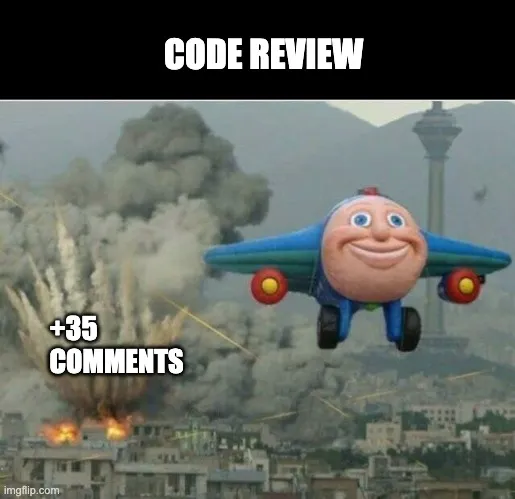
Flooding a PR with nitpicky comments is not good feedback. Not only is it borderline passive-aggressive behavior, but these comments can also drown out ones that raise important issues.

One great example is comments about code formatting. Asking the author to adhere to the Coding Style Guidelines adopted by the team is one thing, but commenting on each single incorrect indentation or misplaced parenthesis is not OK. Fortunately, this entire class of arguments can be easily avoided by integrating a code formatting tool. Not only will the tool end the petty arguments about code formatting, but it will also allow developers to focus on what’s important.

(I wrote about this in more detail here: The downsides of an inconsistent codebase and what you can do about it.)

Unclear or unactionable feedback

Comments like: “I am sure it can be done better” are not useful. They leave the author clueless about the reviewer’s expectations and the improvements they expect. In the best case, the author will ignore the feedback. In the worst case, they will try guessing what the reviewer meant and iterate on the code, often unnecessarily.

From my experience, illustrating comments with code suggestions is one of the clearest and most effective code review feedback.

Delaying code reviews

One of the most common complaints about code reviews is that they significantly slow software development. The most common reasons are:

  • reviewers are not picking up PRs for review
  • reviewers are not responding after the author addressed the feedback
  • changes are flooded with comments on minor issues, and resolving them requires many iterations

Assuming a PR is not intentionally blocked due to a serious concern, delaying reviewing it can be frustrating for the author. Often, reviewers are simply busy with their work and don’t have time to review someone else’s changes. But this is a double-edged sword—eventually, they will want someone to review their changes, and they shouldn’t expect quick reviews if they don’t review PRs promptly.

Sometimes, it is a matter of being better organized. Blocking half an hour daily on the calendar for code reviews should help team members move faster.

That being said, if your PRs are not getting reviewed, there may be something you can do about this. Check out my post here: 7 Tips To Accelerate Your Code Reviews.

Use Test Plans to become a more effective Software Developer

Shipping high-quality software is the responsibility of each software developer. Not only are the days when handing untested code to the QA team for validation a common practice long gone, but many companies have also moved away from QA-based testing, making developers fully own the quality of the product. This creates a problem: how can you ensure developers do their due diligence and validate their changes? At Meta (a.k.a. Facebook), we use “test plans.”

What are test plans?

Test plans describe how authors tested their changes. They are an integral part of Meta’s code review process: the code review tool does not allow submitting code for review if the test plan is empty.

While it is common for test plans to say: “unit tests,” many are much more interesting and often include:

  • screenshots showing the UI before and after the change
  • videos showing the change in action
  • API requests and corresponding responses (e.g., JSON payloads)
  • dashboard snapshots from canary runs
  • terminal printouts
  • Funny memes – especially if the testing was not comprehensive or applicable (e.g., auto-generated code, changes to unit tests only, etc.)

Benefits of requiring Test Plans in commits

The most obvious benefit of requiring test plans is forcing developers to think about validating their changes. While not all test plans are comprehensive, most are decent.

Occasionally, test plans reveal that the code change does not work as the author intended. I once proudly included a graph hovering a little below 100% as my test plan, only for a reviewer to point out that my graph represented not the success rate, as I claimed, but the error rate.

However, one often overlooked benefit of requiring test plans is that they can be lifesavers when working with unfamiliar code.

Imagine you are tasked with building a new feature in a mobile app. While working on the feature, you discover that the API powering your app doesn’t return all the necessary information. You can ask the API team to add it, but they may not be able to accommodate your request on short notice. Perhaps it would be faster if you implemented this change yourself. The only problem is that you are not familiar with the backend code. You don’t know how to test it to ensure you didn’t break anything. In these situations, test plans can come in extremely handy. You can check the commit history of the code you want to change and see how developers who regularly contribute to it test it. In addition, checking past test plans may help you discover edge cases you need to consider. I successfully used this strategy multiple times to change an unfamiliar codebase I would otherwise be afraid to touch.

“My unit test coverage is 100%”

Test plans should not be considered a replacement for unit tests. As great as unit testing is, it is not always sufficient. Additional end-to-end validation helps confirm that the changes worked as intended outside of the isolation provided by unit tests and that they didn’t introduce unwanted behavior. I have seen (and caused) situations where my application wouldn’t start even though all unit tests were passing.

Call To Action

Including test plans in pull requests is not a common practice, let alone a requirement, in most companies or teams. Despite that, I encourage you to follow this practice. Your team members will notice it and may start doing the same if they find it useful. And even if they don’t, you will still benefit from this habit. Going the extra mile can help you find issues before they impact users. With time, it will get easier because you can reuse past test plans to validate some of your current changes. You may need to tweak them a little, but you won’t have to start from scratch each time.

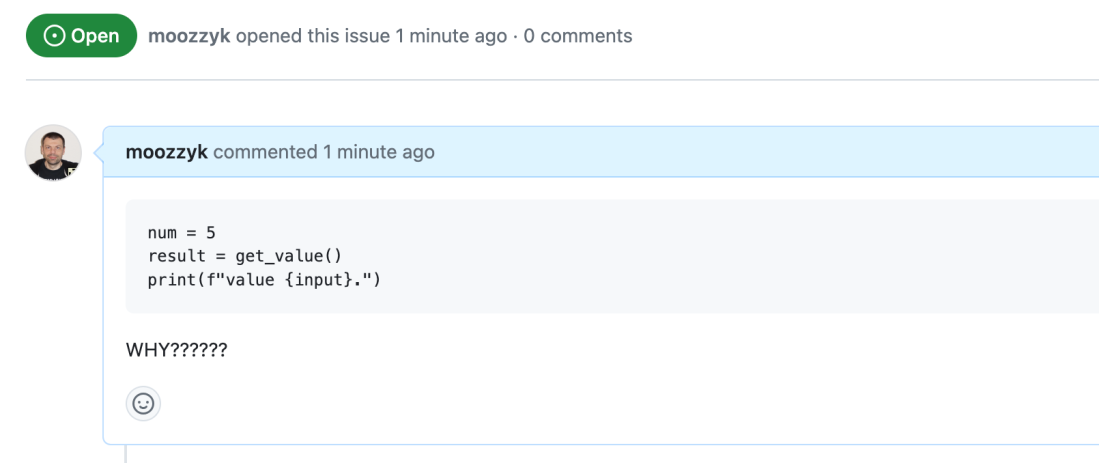
Why Should You Care About Minimal Reproducible Examples (and how to create one)

You’ve spent hours debugging a tricky bug. You can reproduce it but can’t quite figure out the root cause. You’re starting to believe that the bug might not be in your code, but in the library, you are using. Given how much time you’ve already spent on this investigation, you are getting desperate and want to ask for help. What’s the best way to do it? Create a minimal repro!

What’s a minimal repro?

Minimal repro, sometimes called Minimal Reproducible Example, is a code snippet reproducing a bug and providing context with as little code as possible. In the ideal case, another person should be able to copy the code and run it on their machine to reproduce the bug successfully. This is often impossible to achieve, but the closer to this ideal, the better.

How to create a minimal repro?

Creating a minimal repro requires some thought. It’s not about code-golfing. The minimal repro should be as little as possible, but it should also retain all necessary context. Here are a few tips:

  • Remove any code that is not needed to reproduce the issue, but make sure that your example still compiles
  • Avoid changes that make code shorter at the expense of understandability – e.g., don’t shorten the names of variables if it makes code harder to comprehend
  • Keep only important data – if your array has 1 million items but you need only two items to reproduce the issue, only include these two.
  • Remove any artifacts, like configuration files, that are not needed to reproduce the issue. If possible, set all mandatory options all inputs directly in the code.
  • Reduce the additional steps needed to reproduce the issue to the absolute minimum.

Pro tip: Occasionally, instead of removing unneeded code to isolate the issue, it is better to start a new project and try to write code replicating a bug from scratch.

Why create a minimal repro?

Surprisingly, the main benefit of creating a minimal repro is not making a code snippet that you could use to ask for help. Rather, ruthlessly eliminating noise helps build a deeper understanding of the problem and frequently leads to finding the root cause of the issue and a proper fix.

If creating a minimal repro didn’t help you figure out the cause of the bug and a fix, you have something you can use to ask for assistance. You can share your example with your teammates, post it on StackOverflow, or include it when opening a GitHub issue. This is where minimal repros shine – they are critical in getting help quickly.

During my time at Microsoft, I was one of the maintainers of EntityFramework, Asp.NET Core, and SignalR repos. As part of my job, I investigated hundreds of issues reported by users. Clean, concise repros were one of the main factors deciding whether or not an issue was resolved quickly.

For most reported issues containing a concise, clean repro, engineers needed a glance to determine it was indeed a bug. If it was, they could often find the culprit in the code in a few minutes. Finally, they frequently used the example included in the bug report to create a unit test for the fix.

Reports with convoluted or incomplete examples dragged on for weeks. Building a repro often required multiple follow-ups with the author. Due to excruciatingly slow progress, these bug reports had a higher abandon rate.

The bottom line is that you will get help faster if you make it easy to give it. Minimal repro is an effective way to do this.

A Powerful Git Trick No One Knows About

Here is a Git trick I learned a long time ago that I can’t live without (and when I say no one knows about it, I mean it – it is not well documented, and no developers I have worked with knew about it):

Some git commands take - (dash) as the reference to the previous branch.

git checkout and git merge are two commands I use it with all the time.

git checkout - switches to the previous branch. This makes toggling between the two most recently used branches quick and super easy:

Using git checkout -

git merge - merges the previous branch to the current branch. It is especially powerful when combined with git checkout -. You can switch to the target branch and then merge from the previous branch like this:

Using git merge -

One command I wish supported - is git branch -d. It would make cleaning branches after merging effortless. Presumably, this option is not available to prevent accidentally deleting the wrong branches.

Bonus trick

While we are at it – did you know that the cd (change directory) shell command also supports -? You can use cd - to toggle between the two most recent directories.