Entity Framework Code First and Pre-generated Views

When working with Entity Framework view generation may take a long time for bigger or complicated models. The workaround for this problem is to use pre-generated views. In case of Database First and Model First approaches you can use T4 templates that will create the pre-generated views (you can find more details here). But what to do when using Code First approach? One possibility is to use Entity Framework Power Tools – just right-click on the file containing your DbContext derived class and select “Optimize Data Model”. Voila – views are created. But what if you need more control, cannot use UI (e.g. you want your build system to create the pre-generated views) or the tool for whatever reason does not work? You can for instance follow this 5 steps:

  • Get Edmx file for your model using EdmxWriter.WriteEdmx() method
  • Retrieve csdl, msl, ssdl from the edmx file and save them
  • From the Visual Studio Command Prompt run EdmGen with mode parameter set to ViewGeneration (i.e. /mode:ViewGeneration)
  • Add the generated C#/VB.Net file to your project
  • Repeat each time you change your model

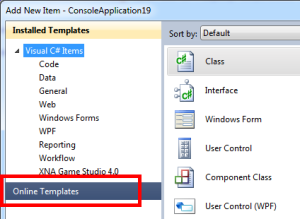
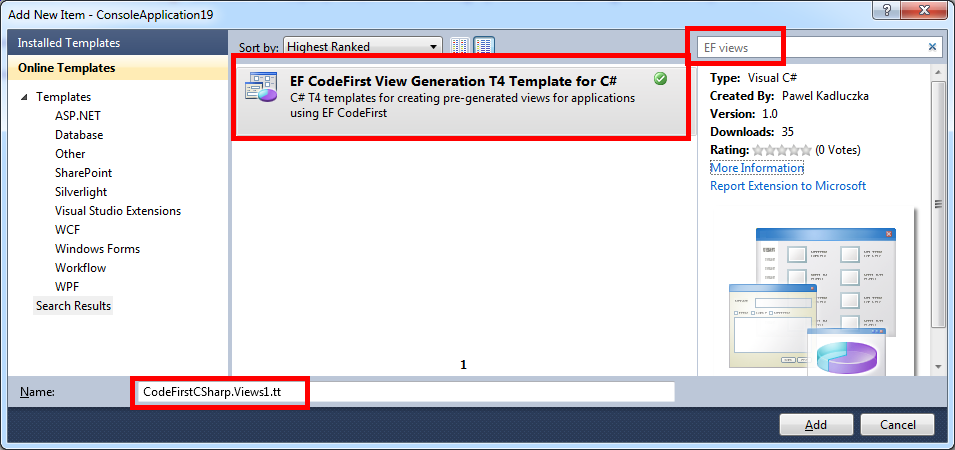
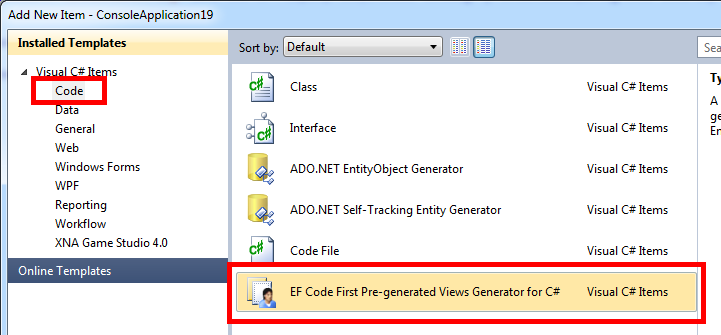
Easy? Maybe. Error prone? Probably. Cumbersome? For sure. But now there is a third way. Similarly to the T4 templates for Model and Database First workflows I created T4 templates for creating pre-generated views for Code First approach. Now, you would just add the right (C# or VB.Net) template to your project, rename it so that it contains the name of the context you want to create the views for (e.g. MyContext.Views.tt) and generate your views by right clicking the template and selecting “Run Custom Tool” menu option. Note that creating the pre-generated views with the template will take approximately the same amount of time it takes to create views at runtime – you are just doing the work that would be done at runtime at design time. The templates are (temporarily) available here. I will update this post when they are moved to the final location.The templates are available on the Visual Studio Code Gallery. See this post for more details.

Pawel Kadluczka

Introducing Vintage Studio

Once in a while I get into this nostalgic mood when I want to go back in time and experience again the excitement I had when I got my first computer. It was a Commodore 64. And yes, the nostalgia is about playing M.U.L.E., Rick Dangerous or Kennedy Approach but also (and maybe foremost) about spending time with TurboAssembler trying to open sideborders or figuring out how FLD/FLI/VSP work. Playing retro games is not a problem these days but trying to code is kind of cumbersome. I really loved TurboAssembler and there are features (like numbered bookmarks) I am still missing but the world has moved on. These days we don’t use 5.25” floppies anymore, our processors are a bit faster than 1 MHz, we have access to the Internet at home and instead of using ← 3 to ‘assemble’ we compile with Ctrl+Shift+B or F6 (some people even use a mouse and and an option from the menu). So, I thought it would be nice to combine these two worlds. The release of Visual Studio 2010 helped a lot – the new WPF editor is much easier to extend than before (I started rejecting COM and all its ATL classes in early 2000s) and the MPF project made it possible to code everything in C#. This is how Vintage Studio – a Visual Studio 2010 based IDE for vintage computers – emerged. I created a short video showing the features and how it works (or maybe showing that the workflow – i.e. building, running and debugging – is pretty much the same as you would expect from any VS project). Binaries and source code are available on github. Enjoy!

Pawel Kadluczka

Entity Framework Zombie (a.k.a. Microsoft Entity Framework June 2011 CTP)

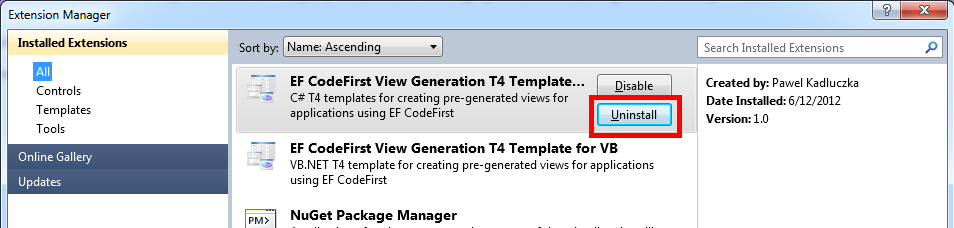
Back in June 2011 we released a CTP called “Microsoft Entity Framework June 2011 CTP”. We were excited by all the features (enums, support for spatial types, TVFs, auto-compiled queries etc.) included in this preview and people were excited to try them. Unfortunately shipping a component that is part of .NET Framework outside the .NET Framework turned out to be challenging. This resulted in a number of tricks like the beloved 😉 by everyone “Microsoft Entity Framework June 2011 CTP” target or publisher’s policies with binding redirects and the experience was far from perfect (e.g. uninstalling Microsoft Entity Framework June 2011 CTP will break tools as noted in the Readme). Now this release is haunting people. We investigated a number of issues where the root cause of the problem was presence of this CTP on the machine. The issues are popping up out of nowhere and it may be hard to figure out what’s going on. Some of them are – Migrations not working correctly (http://stackoverflow.com/questions/9860097/ef-5-vs-11-error-when-doing-add-migration), MissingMethodExceptions (http://stackoverflow.com/questions/9591929/can-anyone-spot-why-i-keep-getting-this-error-testing-the-ef-5-beta) , Visual Studio 11 Beta crashing (this is actually another flavor of MissingMethodException but you probably won’t even see it without WinDbg). Why this happens? The .NET Framework 4.5 is an in-place update. Microsoft Entity Framework June 2011 CTP installed binding redirect to redirect calls to System.Data.Entity.dll 4.0.0.0 to System.Data.Entity.dll 4.2.0.0. This redirect *will still work* if you install .NET Framework 4.5 (be it Beta, RC or RTM). This is bad as there were quite a few changes we added after the June CTP was shipped and dependencies were taken on these changes (e.g. EF Designer). Once .NET Framework 4.5 Beta shipped there is not any benefit of having the CTP – what’s in CTP is in .NET Framework 4.5 Beta, the CTP does not come with any support (as opposed to .NET Framework 4.5 Beta), the CTP does not have a “go-live” license (as opposed to .NET Framework 4.5 Beta and Entity Framework 5 Beta). Even though I believe Microsoft Entity Framework June 2011 CTP was a very useful release *it’s time to move on and uninstall it*. You can find instructions here: http://blogs.msdn.com/b/adonet/archive/2011/06/30/announcing-the-microsoft-entity-framework-june-2011-ctp.aspx.

Pawel Kadluczka

Entity Framework and DateTime of Unspecified kind

I generally consider DateTimeKind.Unspecified dangerous or maybe even broken therefore I was really surprised one day when I saw that some code generation templates in the Entity Framework actually use Unspecified DateTimeKind. I wanted to check what happens during materialization and, sure enough, the materialized DateTime values that came from EF were of unspecified kind. It seemed weird to me and I wanted to understand why this was happening. To my own surprise I concluded that this behavior (at least for Sql Server – I did not check other databases) actually made sense. Here is why:
DateTime properties can be mapped to columns of the following types (again this is for SqlServer):

  • date
  • smalldatetime
  • datetime
  • datetime2

Neither of these types is aware of nor store information about time zones. What it means for date time objects of Utc or Local kind is that the information about their kind is actually lost when the data is persisted in the Sql Server. Now, when the values are read from the SqlServer they will be of Unspecified type (because SqlServer does not store information about time zones and this is the default kind). To understand what it really means you need to take a look at how conversions to Local and Utc times work for DateTime values of Unspecified kind. Basically, if you call DateTime.ToLocalTime() the date is assumed to be a Utc date and if you call DateTime.ToUniversalTime() the date is assumed to be a local date (more details here: http://msdn.microsoft.com/en-us/library/system.datetime.tolocaltime.aspx, http://msdn.microsoft.com/en-us/library/system.datetime.touniversaltime.aspx). In practice it looks like this:

Source Date                           .ToLocalTime()          .ToUniversalTime()
12/12/2000 10:58:49 AM (Unspecified)  12/12/2000 2:58:49 AM   12/12/2000 6:58:49 PM
12/12/2000 10:58:49 AM (Utc)          12/12/2000 2:58:49 AM   12/12/2000 10:58:49 AM
12/12/2000 10:58:49 AM (Local)        12/12/2000 10:58:49 AM  12/12/2000 6:58:49 PM

Based on this table let’s take a look what happens if you write a Utc date value to the database. When I store the following date in the database: 12/12/2000 10:58:49 AM (Utc) and then read it I will get: 12/12/2000 10:58:49 AM (Unspecified). It may seem that these dates are the same they actually are not – the Utc values for these dates are respectively: 12/12/2000 10:58:49 AM and 12/12/2000 6:58:49 PM. The first conclusion is that dates of non-Uspecified kind actually *don’t roundtrip*. The second conclusion is that dates of Unspecified kind *only roundtrip if they are saved and read and used in the same time zone*. The final conclusion is that if your app uses dates that need to be time zone aware (and in today’s highly connected world it probably applies to the vast majority of applications) you should use properties of DateTimeOffset type which will be mapped to columns of datetimeoffset type that is aware of time zone information.

Pawel Kadluczka